

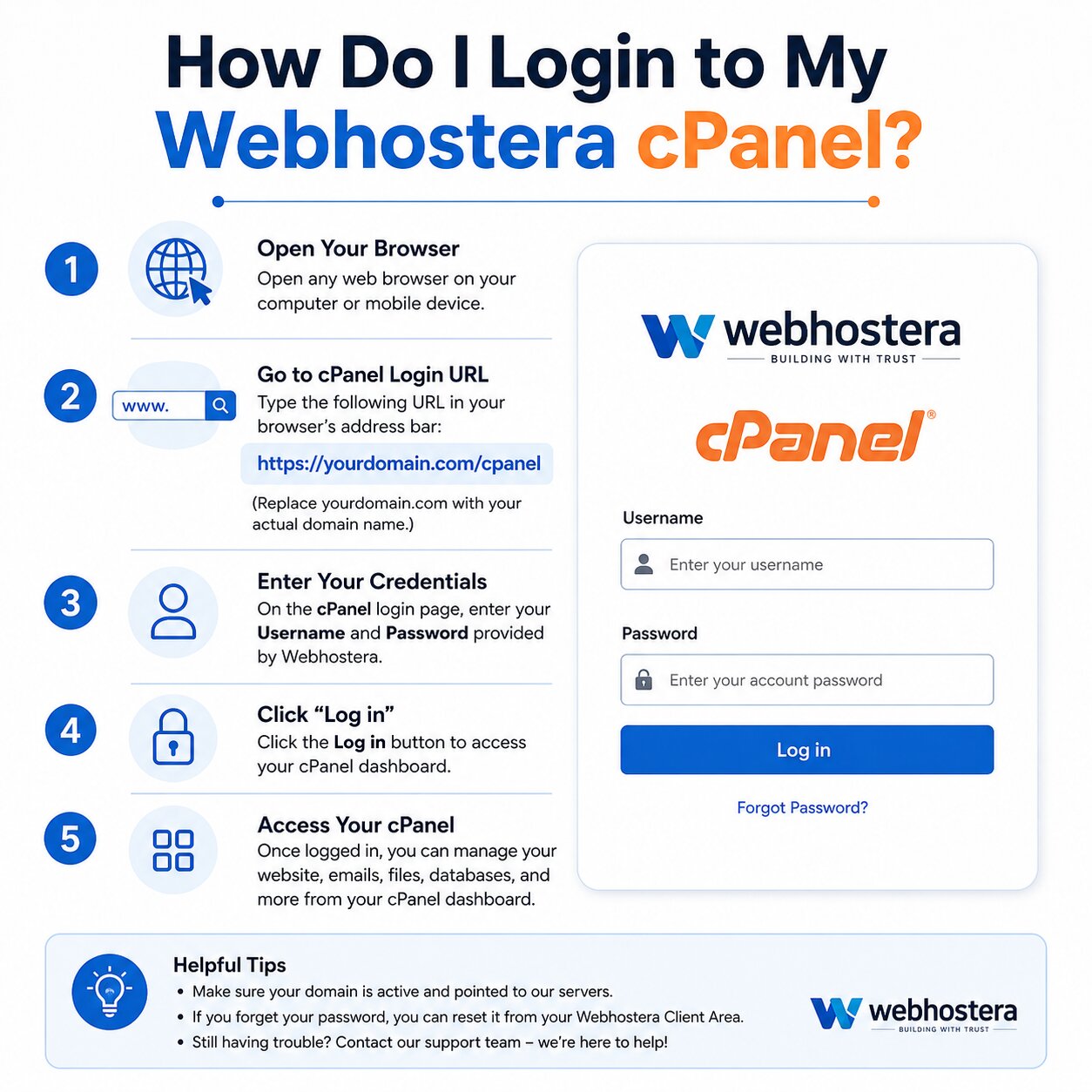
Understanding how to access your hosting control panel makes the process of managing a website much easier. In case of using Webhostera, Proper knowledge of the process of webhostera cPanel login becomes essential for handling website files, emails, databases and overall hosting settings.
The whole process is broken down for beginners and the users switching hosting providers into clear, accessible, and simple steps to properly access without confusion along with managing the website smoothly.
What is cPanel and Why It Matters?
cPanel is a famous web hosting control panel providing an easy, user-friendly dashboard where you can properly manage your website without needing technical support.
With cPanel, you can:
- Upload and manage website files
- Create email accounts
- Install WordPress
- Manage domains and subdomains
- Monitor website performance
For Webhostera users, cPanel performs as the focal point for all hosting-related tasks.
Understanding Webhostera cPanel Login
The webhostera cPanel login process maintains proper access to your hosting dashboard securely. You can control everything regarding to your website from a single interface once you get logged in.
There are various methods to log in, according to your preference and hosting setup.
Method 1: Login via Direct cPanel URL
This is the most common method.
Steps:
- Open your browser
- Enter your domain followed by:
- /cpanel
- Example: yourdomain.com/cpanel
- You will see the login page
- Enter your:
- Username
- Password
- Click Login
Once logged in, you will be redirected to your cPanel dashboard.
Method 2: Login Through Webhostera Client Area
Another easy way to access your cPanel is through your Webhostera account.
Steps:
- Visit the Webhostera official website
- Log in to your client dashboard
- Go to My Services
- Select your hosting package
- Click on Login to cPanel This method is helpful if you forget your direct login URL.
Method 3: Login Using Server IP Address
If your domain is not yet connected, you can still access cPanel using your server IP.
Format:
- http://your-server-ip:2082 (non-SSL)
- https://your-server-ip:2083 (secure)
Replace your-server-ip with the IP provided by Webhostera.
Important Login Details
To access your account successfully, you need:
- Username: Provided in your hosting email
- Password: Set during account creation
- Login URL: Your domain or server IP
What to Do If You Forget Your Password
Forgetting login credentials is common, especially for beginners.
Here’s how to reset it:
- Log in to your Webhostera client area
- Go to your hosting service
- Click Reset Password
- Create a new secure password
Avoid using simple passwords combine letters, numbers, and symbols.
Common Login Issues and Fixes
Sometimes, users face issues during the webhostera cPanel login process. Here are some common problems and solutions:
1. Incorrect Username or Password
- Double-check spelling
- Ensure Caps Lock is off
2. Browser Issues
- Clear cache and cookies
- Try a different browser
3. Connection Errors
- Check your internet connection
- Use HTTPS instead of HTTP
4. Account Suspension
- Contact Webhostera support if your account is inactive
Security Tips for Safe Login
Security is critical when accessing your hosting account.
Follow these best practices:
- Always use HTTPS login URLs
- Avoid logging in on public computers
- Enable strong passwords
- Log out after use
- Keep login details private
A secure login protects your website from unauthorized access.
What You Can Do After Login
Once you complete your webhostera cPanel login, you gain access to powerful tools:
File Management
- Upload website files
- Edit and organize folders
Domain Management
- Add domains and subdomains
- Redirect URLs
Email Setup
- Create business email accounts
- Manage inboxes
Software Installation
- Install WordPress with one click
Database Management
- Create and manage databases
Why cPanel is Important for Beginners
For new users, cPanel makes the website management easy and simple. You experience using a visual interface to control everything easily instead of coding.
This makes it ideal for:
- Bloggers
- Freelancers
- Small businesses
- Online store owners
Tips for First-Time Users
If this is your first time using cPanel, keep these tips in mind:
- Explore the dashboard slowly
- Don’t change settings without understanding them
- Use tutorials when needed
- Focus on basic tools first
Learning step-by-step helps avoid mistakes.
Benefits of Using Webhostera Hosting
Webhostera makes cPanel access simple and efficient. Some advantages include:
- Fast and reliable servers
- Easy-to-use dashboard
- Strong security features
- 24/7 customer support
- Beginner-friendly environment
This ensures a smooth hosting experience.
Final Thoughts
Knowing properly how to access webhostera cPanel login becomes the first step to effectively managing the website. With easy login options, a simple interface, and powerful features, cPanel provides complete control over your hosting account.
Whether you’re launching your first website or managing multiple projects, accessing cPanel regularly helps you stay organized, secure, and in control.
Take a few minutes to log in today and explore your dashboard you’ll quickly realize how easy website management can be. Read more: Free vs Paid Hosting