

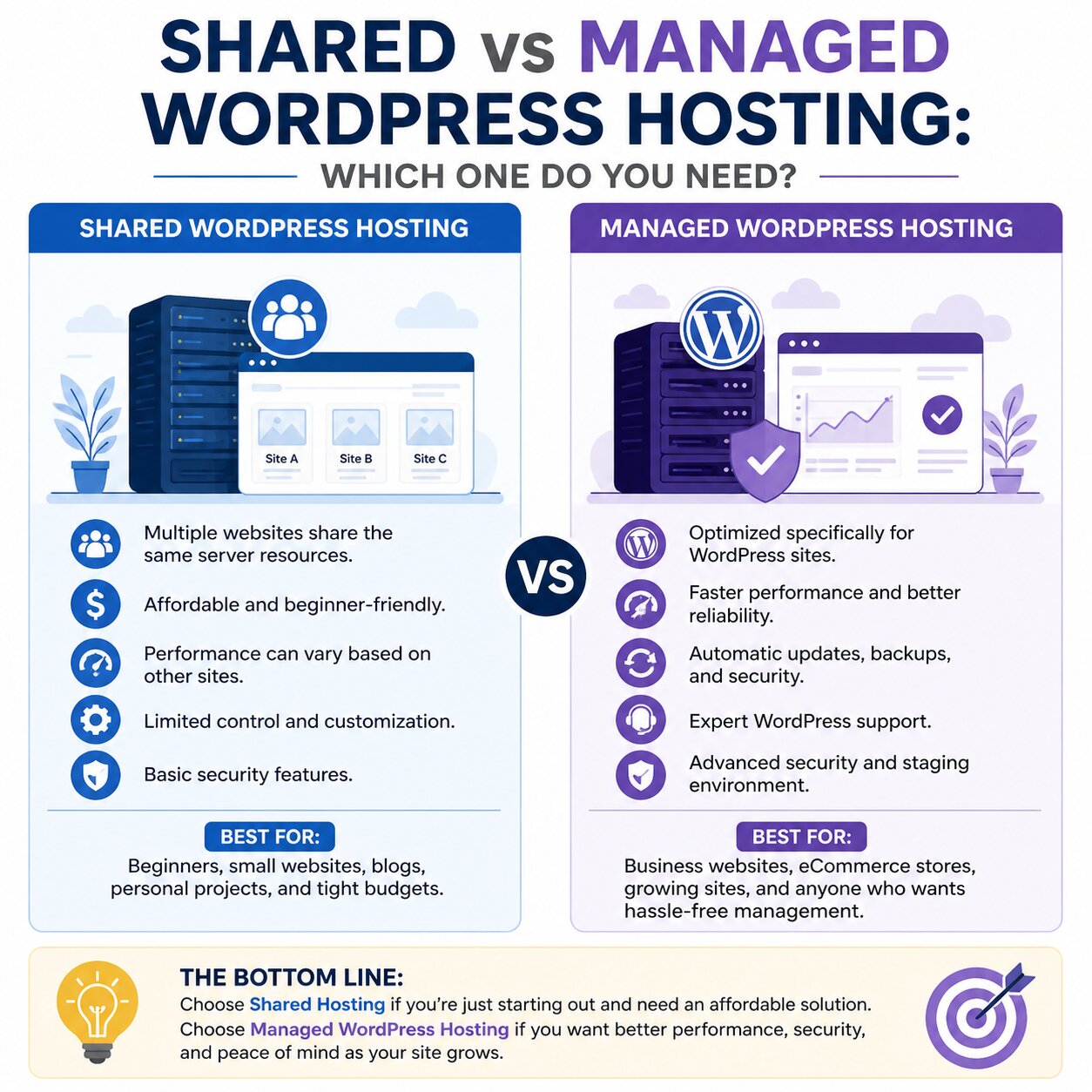
When you plan to build a WordPress website, the selection of the right hosting becomes the most important decision. The quick performance of your website having saleability and security totally depends on it. One of the most common comparisons beginners’ faces is Shared vs Managed WordPress Hosting. Both options serve different requirements, and knowing them helps you make the right choice for your website.
What is Shared Hosting?
Shared hosting is the most entry-level and affordable web hosting type providing an option o several websites to operate on a single server and share resources like CPU, RAM, and storage.
Shared Hosting is widely used by beginners, bloggers, and small businesses who are just taking a start-up.
Key features of shared hosting:
- Low cost and budget-friendly
- Easy to set up for beginners
- Multiple websites on one server
- Basic security and performance
However, since resources are shared, your website performance may be affected if other websites on the same server receive high traffic.
What is Managed WordPress Hosting?
Managed WordPress Hosting is a premium hosting solution designed specifically for WordPress websites. The hosting provider takes care of technical tasks such as updates, backups, security, and performance optimization.
This type of hosting is ideal for users who want a hassle-free experience and faster website performance.
Key features of managed hosting:
- Optimized specifically for WordPress
- Automatic updates and daily backups
- Advanced security protection
- Faster loading speed and better uptime
- Expert WordPress support
Shared Hosting vs Managed Hosting: Key Differences
When comparing shared hosting vs managed hosting, the differences become clear in terms of performance, control, and pricing.
- Performance
- Shared hosting: Moderate speed, affected by other websites
- Managed hosting: High-speed performance optimized for WordPress
- Security
- Shared hosting: Basic protection
- Managed hosting: Advanced security with malware scanning
- Maintenance
- Shared hosting: User handles most tasks
- Managed hosting: Provider manages updates and backups
- Cost
- Shared hosting: Very affordable
- Managed hosting: Higher cost but premium service
- Ease of Use
- Shared hosting: Requires some technical understanding
- Managed hosting: Beginner-friendly and fully managed
SEO and Website Performance Impact
Your choice between WordPress hosting types can directly impact your SEO rankings. A faster and more secure website improves user experience, which is a key ranking factor on search engines.
Managed hosting often includes features like:
- Built-in caching
- Content Delivery Network (CDN) integration
- Server-level optimization
These improvements help boost website speed optimization, which is crucial for SEO success.
Who Should Choose Shared Hosting?
Shared hosting is best for:
- Beginners starting their first website
- Personal blogs or small projects
- Low-traffic websites
- Users on a tight budget
It is a good entry point into the world of web hosting for WordPress, especially if you are still learning.
Who Should Choose Managed WordPress Hosting?
Managed hosting is suitable for:
- Business websites
- High-traffic blogs
- E-commerce stores
- Users demanding technical stress
Managed hosting becomes a strong long-term choice when it comes to growth performance and security.
Pros and Cons Summary
Shared Hosting:
Pros:
- Cheap and accessible
- Easy for beginners
Cons:
- Slower performance
- Limited resources
- Basic security
Managed Hosting:
Pros:
- Fast and optimized
- Strong security
- Fully managed services
Cons:
- Higher cost
- Less control over server settings
Conclusion
The selection of Shared vs Managed WordPress Hosting addresses completely trough your goals, budget, and technical experience. In case of simply starting, shared hosting is an easy and affordable option. But if you want better performance, security, and scalability, managed hosting becomes the smarter long-term investment.
Your website’s success completely depends on the hosting basis you select today.
Ready to build a fast and professional website? Take a start with the hosting plan that suits to your requirements toward taking the first step to launching your online presence today. Read more: How to Start a Website for Beginners