

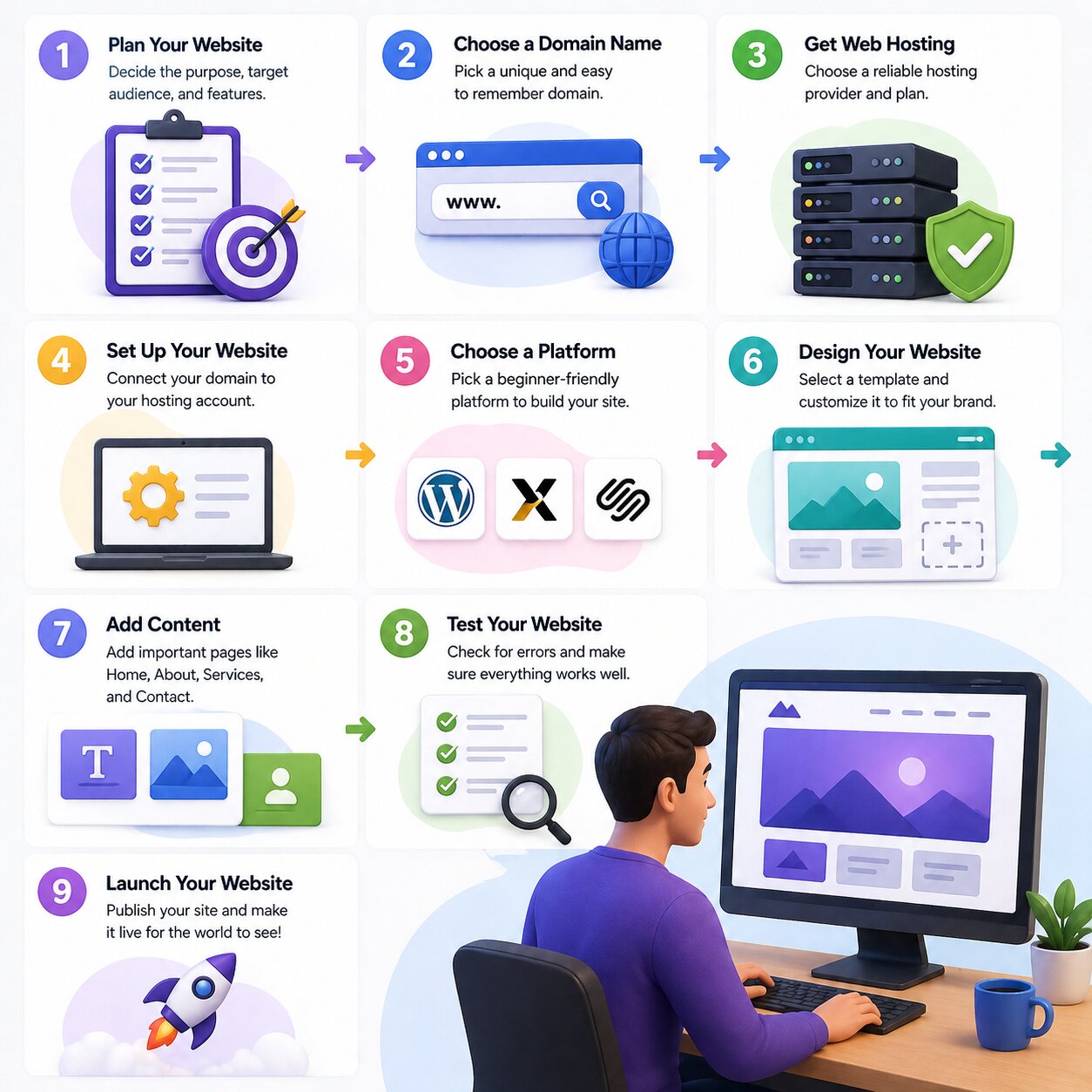
If you are planning to launch your own website but you don’t have the knowledge where to start, let find out the entire process of starting a website from scratch.
No matter if you want to start blogging, freelancing, or building an online business. The process becomes so easy and simple when presented into the right step by step approach.
Let’s discuss a practical, beginner-friendly method to get your website visible online.
Step 1: Pick a Domain Name
The first step regarding how to start a website for beginners is selecting a domain name. The name becomes your site’s identity on the internet, like yourbrand.com.
A reliable and strong domain name should be:
- Easy to remember
- Short and clear
- Relevant to your topic or business
From a technical point of view, domain names operate through the Domain Name System (DNS), that connects your website’s name to the server where its content is stored.
Step 2: Choose Reliable Web Hosting
In the next step, you require a space to store your website files. That’s where Web Hosting steps in.
A good hosting provider such as “webhostera” ensures your site:
- Loads quickly
- Stays online (high uptime)
- SSL secure
Most hosting services provide user-friendly tools like cPanel, maintaining an atmosphere for you to manage everything without having technical knowledge.
Step 3: Install a Website Platform
WordPress becomes the most recommended CMS for a reliable platform when it comes to build your site.
WordPress belongs to a broader category called Content Management System (CMS), which enabling users to create and manage websites without coding skills.
Why WordPress is ideal:
- Beginner-friendly interface
- Thousands of free themes
- Flexible for blogs, business sites, and eCommerce
With most hosting providers, WordPress installation is so easy that takes just a few clicks.
Step 4: Customize Your Website Design
After installing WordPress. You need to design your website according to your requirements so here comes the creative part.
Start by:
- Selecting a theme
- Creating essential pages (Home, About, Contact)
- Adjusting colours and fonts
Designing becomes easier through using tools like Elementor that allows you to drag and drop elements without touching any code.
Keep your design:
- Clean and professional
- Mobile-responsive
- Easy for users to navigate
A simple design often performs better as compares to complicated one.
Step 5: Optimize and Launch Your Website
Before launching, it’s important to optimize your site using Search Engine Optimization so people can find it on search engines.
Before you plan to go live, make sure the optimization of your website with Search Engine Optimization (SEO) so it goes live and becomes discoverable on search engines.
Basic SEO tips:
- Use your main keyword naturally
- Write clear headings and useful content
- Optimize images and page speed
Also, make sure your site is secure with HTTPS (SSL), which builds trust and protects user data.
To monitor your website’s performance, connect:
- Google Analytics for tracking visitors
- Google Search Console for search visibility
Once everything is set, publish your website and make it live.
Bonus Tips for Beginners
As you learn how to start a website, keep these extra tips in mind:
- Focus on quality content from the start
- Don’t overload your site with plugins
- Update your website regularly
- Learn basic SEO to grow traffic
Consistency matters more than perfection.
Conclusion
Proper understanding regarding launching your website from the beginning is the smartest investment in the digital field today. By adopting these five necessary steps, choosing a domain name, availing dependable hosting, WordPress installation, and by creating your site with Optimized SEO, you can confidently launch your first website.
Just remember, a successful website was once a simple beginner’s project. The real progress comes from starting, staying consistent, and refining your skills along the way. Read more: What is Web Hosting